No headset storage shuffle
Play from your computer without making another copy on your headset.
Share videos from your computer, iPhone, or iPad and browse them directly in NEX on Meta Quest, without copying files to your headset.
Download NEX Link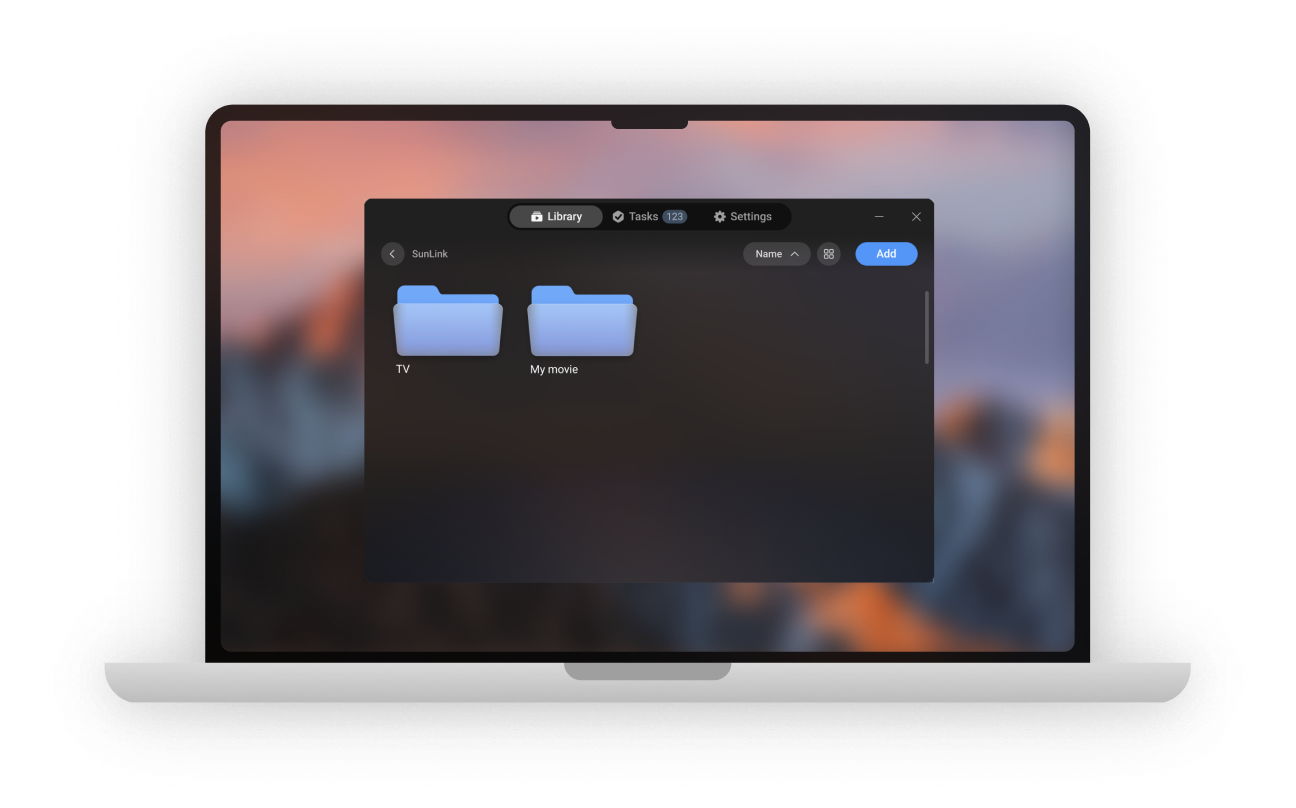
Leave the files. Bring the experience.
Keep your collection where it already lives and open it from NEX whenever you are ready to watch.
Play from your computer without making another copy on your headset.
NEX Link reads only the folders and files you add. It does not scan your whole computer.
Browse common video formats and external subtitles stored in the same shared folder.
Simple local setup
Once both devices share a network, NEX can discover NEX Link nearby.
Download the free app for Ubuntu, Windows, or Mac.
Choose the folders or individual videos you want NEX to access.
Connect your computer and Meta Quest to the same local network.
Go to Library → NEX Link. Nearby computers are discovered automatically.
Local and deliberate
NEX Link makes your selected media available over your local network. Your entire computer is never treated as a media library.
Nothing appears in NEX until you add a folder or video in NEX Link.
NEX Link does not automatically search through unrelated files and folders.
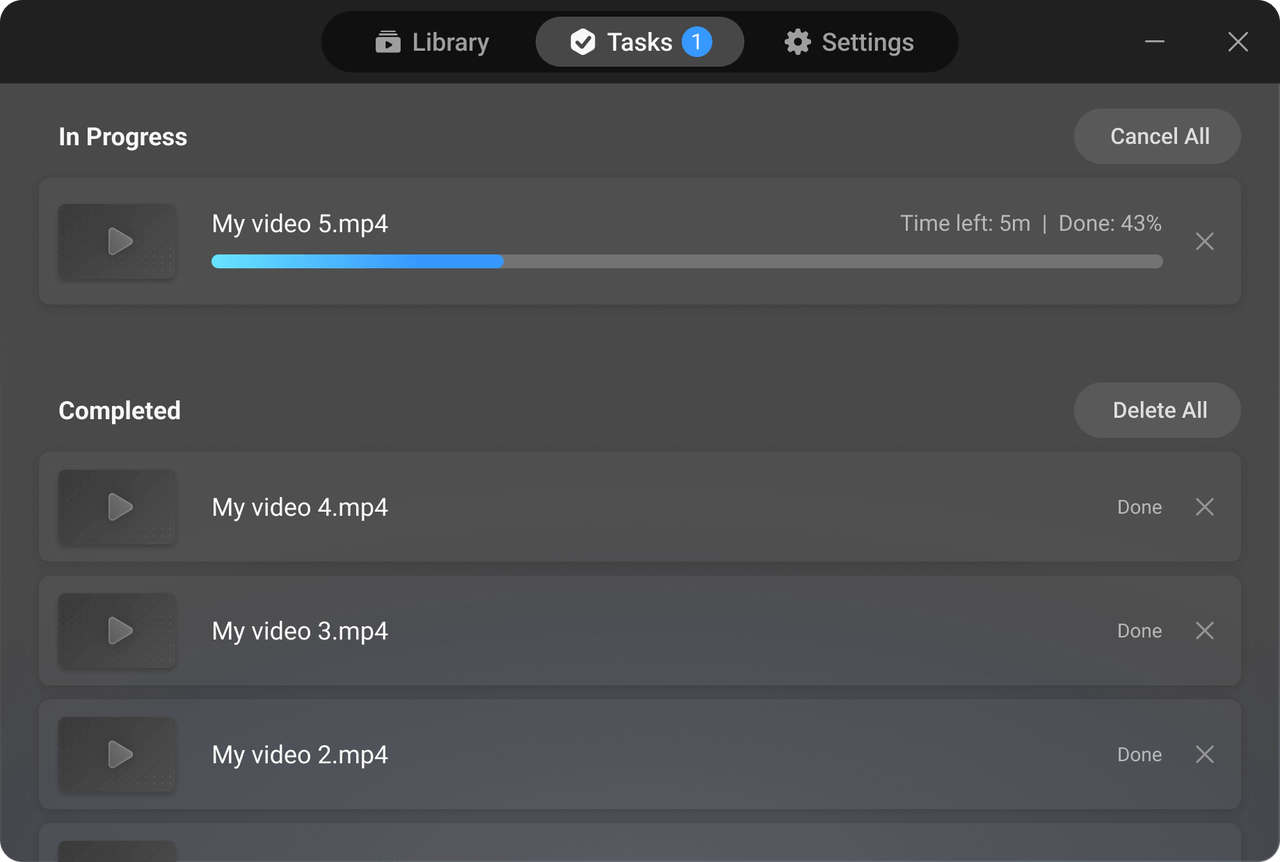
More than access
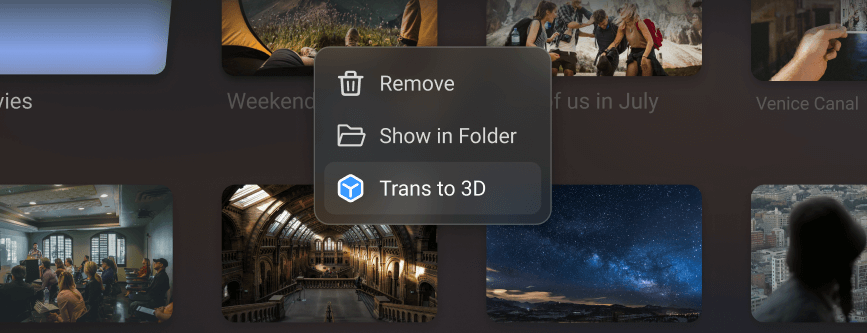
Right-click a video in NEX Link, choose Trans to 3D, and follow the task progress on your computer. Then open the original video in NEX on Quest to watch it in 3D.
NEX Link downloads
Download NEX Link for Ubuntu, Windows, macOS, iPhone, or iPad. Android is not available yet.
Free NEX Link app for Windows. 3D conversion supports NVIDIA, AMD, and Intel graphics.
Free NEX Link app for Mac. 3D conversion requires Apple silicon and macOS 15 or later.
For 64-bit x86_64 systems running Ubuntu 20.04 LTS or later.
3D conversion is not currently supported. Connect to Meta Quest to play videos.
Share selected videos from your iPhone or iPad with NEX on Meta Quest.
NEX Link for Android is not available yet.
Useful answers
NEX Link is the free desktop companion for NEX. It lets NEX on Meta Quest access videos you select on Ubuntu, Windows, or Mac.
No. NEX accesses the selected files from your computer over the local network, so another copy on the headset is not required.
No. NEX Link reads only the folders and individual files you manually add.
Connect the computer and Meta Quest to the same local network, open NEX, then go to Library → NEX Link. Nearby NEX Link services are discovered automatically.
Yes. Select a video in NEX Link and start a local 3D conversion. The free NEX trial includes the 2D-to-3D experience.
Connect your library
Download NEX Link, add the folders you choose, and open your library inside NEX.